
Stretch 1xBet battery life during long live sessions
Your phone drains fast during long live sessions because the 1xBet app holds a live video stream and keeps shifting odds ball by ball, and both keep the radio and the screen working.
What actually drains the battery
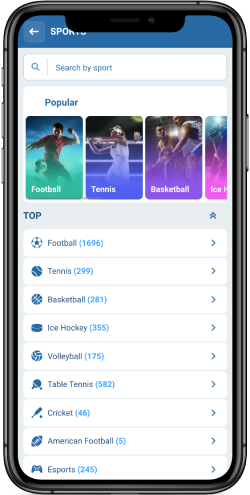
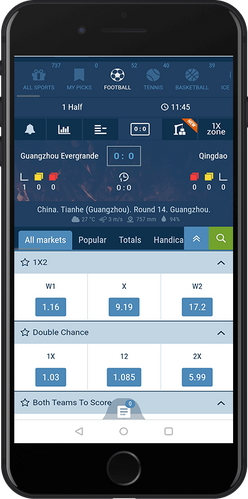
Two documented features sit at the centre of the drain. The listings advertise high video quality streams for football, basketball, tennis, volleyball, table tennis and more, and they advertise live odds that shift ball by ball. A decoded stream is constant decode work plus constant network traffic, while an odds ticker is constant refresh plus constant radio wake-ups.
The screen is the third piece. Bright pixels cost more than dim pixels, and a long session usually means an hour or more with the panel lit. Everything below attacks one of those three costs without taking you out of the 1xBet app.
Walk one session end to end
Take a concrete case. You open the 1xBet app for a 90-minute evening match, you want the stream, and you have placed a pre-match bet you intend to watch through. Battery sits at about 40% when kickoff approaches.
- Before kickoff, drop screen brightness to roughly a third, or turn on auto-brightness and sit somewhere dim. The stream stays watchable at lower luminance.
- Switch your phone into its built-in low-power or battery-saver mode. This slows background work across every app, not just the sportsbook.
- Open the stream only when the match actually starts, and close it at half time to stretch the middle stretch. Prices and the live score remain on screen while the video is off.
- Turn on sports alerts inside 1xBet so goals, red cards, and substitutions arrive as push notifications. You stop unlocking the phone to check.
- If the match turns into a grind and you only care about your market, close the stream for good and watch the odds line. The radio still works, but the decoder stops.
- Plug in for the final twenty minutes if a charger is nearby. The session finishes with charge left for the walk home.
The pattern is simple: video for the moments you care about, push alerts for the moments you do not, and the odds line as the default state in between.
Trim the stream first
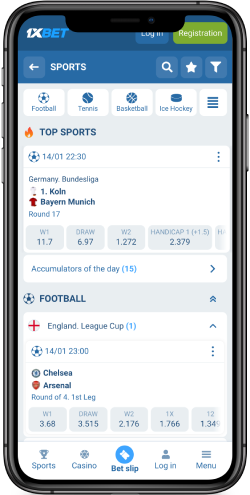
- The stream is the single largest lever. The Zambian listing promotes high video quality and stable stream performance, and it says you can bet during matches without delays. Quality that looks sharp on a bright desk is more than you need on a dim commute, so watch for any quality control the 1xBet app offers and pick the lowest setting that still reads.
- If the 1xBet app in front of you does not expose a quality setting, the listing does not say. In that case, treat opening and closing the player as your own quality control. Ten minutes of video at the climax of the match delivers most of the value of ninety minutes of video, and it costs a fraction of the battery.
- Remember that the same stream that drains you also keeps you inside one app. You avoid bouncing to a browser, which would add a second radio session and a second decoding pipeline.
Let notifications replace screen checks
- The documented alerts cover goals, red cards, and substitutions, and the Zambian listing frames them as live score information right on the screen. Each alert you receive is one fewer unlock, one fewer bright screen, and one fewer manual refresh of a live page.
- Inside the 1xBet app, notifications are described as customizable, which means you can keep the alerts that change your bet and mute the rest. Fewer alerts also means fewer radio wake-ups overnight, which protects the charge you need for tomorrow’s session.
- Once alerts are on, the habit flips. You stop refreshing to discover what happened and start glancing only when something worth glancing at arrives.
Lean on the light networking
The Kenya listing says the sportsbook stays light even when your network is dragging. A lighter client on a weak signal generally means the radio spends less time transmitting and less time hunting for a tower, which is battery you keep.
You can help it along. Sit where the signal is decent, prefer Wi-Fi over a struggling mobile cell when both are available, and avoid running a second heavy app in the background while the match is on. Two competing downloads will cost more than anything the sportsbook itself asks for.
Before the match, it is worth confirming your phone is running its current system software, since system updates often carry power-management fixes. You can read what Google publishes at Android system updates and decide whether to take the update before kickoff rather than during the second half.
Older phones need the strictest habits
App store reviews for the 1xBet app sometimes flag lag on older handsets, and battery strain is usually worst on exactly those phones. Lag is not a battery feature on its own, but it often arrives with an overworked processor and a warm chassis, and heat pushes a battery down faster.
On an older handset, treat the stream as a special occasion. Use the odds line as your default, pull up the football stats, head-to-head records and standings the 1xBet app provides, and open video only for the passages you would regret missing.
Two phones, two plans
The same match asks for different decisions depending on the hardware in your hand. The table below maps the choice.
| Phone condition | Default state | When video opens | What you give up |
|---|---|---|---|
| Newer phone, strong signal, charger nearby | Stream on, brightness moderate | Whole match | Little, since you can top up |
| Newer phone, no charger, 50% battery | Odds line, alerts on | Open at kick-off and at the final twenty minutes | Mid-match pictures, you keep the key moments |
| Older phone that lags | Odds line and stats only | Open at the climax or when your market is in play | Most of the broadcast, you keep the prices |
| Weak or dragging network | Alerts plus manual checks | Only on Wi-Fi or a settled cell | Spontaneous viewing, you avoid buffering and radio hunting |
| Activity | Relative cost | Easiest control |
|---|---|---|
| Video stream at high quality | Highest | Open only for key passages |
| Live odds refreshing | Moderate | Keep as your default view |
| Push alerts for goals and cards | Low | Keep on, mute the rest |
| Manual screen checks | Rises with every unlock | Let alerts replace them |
Habits that save charge without changing settings
Settings do most of the work, but a few habits finish the job. Turn the phone face down between plays so the proximity sensor keeps the panel off. Close other tabs and apps that would otherwise compete for the radio. Silence the phone instead of letting it vibrate on a table, since vibration motors draw real current over ninety minutes.
Check what is running in the background before the match rather than during it. If a large download is queued, postpone it. The sportsbook asks for a steady connection, and a saturated one costs both time and charge.
Finally, place your pre-match positions before you settle in. Getting the slip done early means you are not poking at odds screens during the busiest radio moments of the evening. Before your next betting round through 1xbet download app, close any apps you will not need for the next two hours, and let the phone cool down if it is already warm.
What the listing does not tell you
Some practical questions have no documented answer. The listings do not say whether the player exposes an explicit quality selector, whether a data-saver mode exists inside the app, or whether an official battery-saver profile ships with the build. The listings also do not state a minimum operating system version or a universal store rollout.
Where the app is silent, your phone’s own controls are the answer. System battery screens, brightness sliders, and background-app limits are available on every modern handset, and they apply to the sportsbook whether or not the app offers a matching switch.
A short checklist before the next long session
Run this in order and you will finish the match with charge to spare.
- Brightness down to about a third, or auto-brightness on in a dim room.
- Phone battery-saver mode enabled for the duration of the match.
- Sports alerts enabled inside the app, with goal, card, and substitution alerts kept.
- Other heavy background apps closed, and any large download postponed.
- Stream opened at kickoff and closed whenever the odds line is enough.
- Charger within reach for the final stretch if the battery is already low.
- Older phone? Stats and head-to-head records as the default, video reserved for the climax.
Quick pre-match setup steps
- Charge the phone to a comfortable level before kickoff, not during the second half.
- Decide in advance which markets deserve video and which only need the odds line.
- Confirm your alerts are on for goals, cards, and substitutions.
- Pick a seat with a stable signal, or move to Wi-Fi if the cell is struggling.
- Close anything heavy in the background so the radio has room to work.
FAQ
Does turning off the stream delay my odds updates?
No. Odds movement is a separate live data feed from the video decoder, so closing the player leaves prices updating on the same cadence. You lose pictures, not prices.
Will battery-saver mode mute my 1xBet alerts?
Phone-level battery savers sometimes restrict background activity for every app, which can hold alerts until you next unlock. If that happens, exempt the sportsbook from the restriction or leave battery-saver off and rely on brightness cuts instead.
What if I am watching a stream while the network keeps dropping?
The Kenya listing claims the sportsbook stays light on dragging networks, which helps the radio, but it does not promise buffering will vanish. Drop to the odds line, refresh manually, and reopen the player when the signal settles.
Can I keep alerts on and still avoid overnight drain?
Alerts themselves cost very little, but each one wakes the radio and can light the screen. Schedule a quiet period for non-match hours, and keep only goal and card alerts enabled outside of live sessions.
Does the app drain battery while it sits closed in the background?
The listings do not describe background behaviour. Your phone’s own battery screen shows per-app background use, so check there first; if the sportsbook appears high, restrict its background activity between sessions.