
Safe Browsing Practices for Zero-Cost OnlyFans Tiers
OnlyFans free pages cost nothing to follow, yet they demand the same security discipline as paid subscriptions. A zero-dollar entry point does not mean zero risk, because your account, email address, and payment card are still tied to the platform. This guide sets out practical safe browsing practices for zero-cost tiers, from account creation through long-term maintenance.
The assumption that free means low-stakes is the most common mistake in this space. Attackers target free followers precisely because those users tend to be less careful. BestOnlyFans treats free-tier access as a security-relevant activity, and the protocols below reflect that position.

Security Foundations for Zero-Dollar OnlyFans Entry
Account creation is the moment where most long-term security outcomes are decided. Users who reuse an existing email address and password from other services hand over a key that opens several doors at once. A breach at any unrelated site then becomes a breach of your OnlyFans access.

Start with separation. Use an email address that exists solely for this platform and is not published anywhere else. Generate a password of at least sixteen characters with no reuse across services, and enable time-based one-time password two-factor authentication rather than SMS where the platform allows a choice.
- Create a dedicated email address used only for this account.
- Generate a unique password of sixteen characters or more.
- Enable TOTP two-factor authentication in account settings.
- Document the verification hold expectation before entering card details.
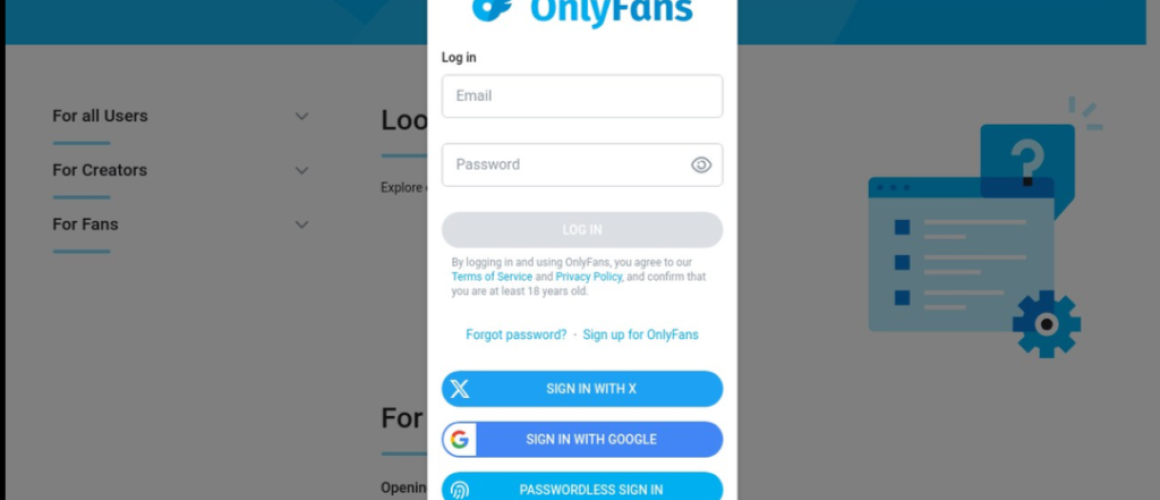
- Confirm the platform URL is correct before typing any credential.
Phishing pages that mimic the login screen are the most common vector for credential theft in this niche. Type the address manually or use a saved bookmark rather than clicking a link from a message.
The verification hold is a normal part of setup, not an error. Expect a small temporary charge of about $0.10 that is refunded within days. Confirming this in advance prevents you from mistaking a legitimate authorization for fraud.
Tip: If a page asks for your password to “unlock free access,” close it. The platform never requires credential re-entry to view a free profile.

Payment Method Protection During Free Page Signup
Free pages still require a card on file for age verification and for optional purchases such as tips or pay-per-view messages. That card is the most sensitive element you attach to the account, so method selection deserves deliberate thought.
- Prefer a virtual card number issued by your bank over your primary card.
- Use a dedicated card with a low limit if virtual numbers are unavailable.
- Note the billing descriptor so the charge is recognizable on statements.
- Expect the $0.10 hold to settle within roughly one to five days.
- Keep secondary verification, such as an app prompt, ready for signup.
A dedicated low-limit card limits damage if the number is ever exposed. It also makes reconciliation simpler, since every charge on that card belongs to one account.
Remember that free pages earn through pay-per-view messages and tips rather than a subscription. PPV unlocks can reach $50, and paid chat commonly runs $3 to $5 per message.

Ongoing Account Safety Across Free Page Following
Security is not a one-time setup. Accounts that were secure at creation drift into risk through reused sessions, forgotten logins, and unattended devices.
- Review recent login activity weekly for unfamiliar devices or locations.
- Check your password monthly against known breach databases.
- Regenerate two-factor backup codes quarterly.
- Respond immediately to any unrecognized access notification.
If you see a device you do not recognize, end that session and change the password in the same sitting. If your dedicated email appears in a dump, rotate the password even when the exposed password was different.
A subscription audit habit helps here too. Reviewing which pages you follow and what you spend keeps the account surface small and makes unexpected charges obvious.

Privacy Preservation While Browsing Free Content
Even a perfectly protected login leaks information through browser fingerprints, third-party trackers, and referrer headers. Reducing that leakage is a configuration exercise, not a product purchase.
| Privacy Layer | Configuration Action | Trade-off |
|---|---|---|
| Browser fingerprint | Use a mainstream browser with default settings | Less uniqueness, fewer exotic settings |
| Tracking protection | Enable the browser’s standard protection level | Some embedded media may fail to load |
| Cookie isolation | Keep the account in a separate browser profile | Requires switching profiles to log in |
| Referrer policy | Allow default referrer behavior rather than a strict override | Slightly less privacy, fewer broken pages |
| Extensions | Limit add-ons to a small, trusted set | Fewer convenience features |
A separate browser profile is the single highest-value change for most users. It isolates cookies and sessions so that activity on one site cannot easily be correlated with another.
A small, well-known extension set is safer than a long list installed for convenience.
Recognizing and Responding to Security Incidents
Someone messages you claiming an affiliation, an expiring benefit, or a problem with your payment method. The goal is to move you toward a credential entry or a card change on a page they control.
- Unsolicited contact claiming platform affiliation.
- Urgency-based requests for your password or verification code.
- Prompts to change payment details outside the platform interface.
- Creator impersonation using copied photos and a similar handle.
Treat any request for a two-factor code as hostile by default. Legitimate support never asks for the current code, because that code exists to keep others out. If you have already shared it, change the password and regenerate backup codes immediately.
Report impersonation and phishing through the platform’s own reporting tools, and keep the message as evidence. If a card number was exposed, contact your bank before the platform, since the bank controls the fastest block on further charges.
Warning: If a message says your free access will expire unless you pay, verify inside the platform. Free follows do not expire on a payment deadline.

Device and Network Security for Free Page Access
The device and network you use determine how much of your activity is observable to others. Shared computers and open wireless networks are the two largest sources of avoidable exposure for free-tier users.
- Avoid auto-login on any device you do not own exclusively.
- Clear session data after each use on a shared machine.
- Prefer cellular data over open public wireless networks.
- Consider a reputable VPN if you want additional network-level privacy.
- Keep a dedicated browser profile for this account.
Public wireless networks can be monitored by anyone on the same network when traffic is not encrypted end to end. Cellular data avoids that local exposure entirely and is usually the simpler choice.
A VPN adds a layer by hiding your network address from the sites you visit, but it shifts trust to the provider. Choose one with a clear logging policy, and remember that a VPN does not protect you from phishing or credential reuse.
BestOnlyFans Security Indicators in Ranking Data
The platform has no built-in discovery feed or directory, which is why ranking and review sites exist in the first place. That gap also creates opportunity for low-quality listings that point toward impersonation pages. A useful ranking site publishes its methodology and states when a listing was last verified. BestOnlyFans documents how each entry was checked, which lets a reader judge the listing rather than trust it blindly.
Look for activity signals that are hard to fake at scale: consistent posting dates, an account age that matches the stated history, and no duplicated photography across multiple handles. Readers searching regional directories, for example those looking for free only fans netherlands listings, benefit from checking whether the source explains its verification process before following anything.
Verification badges are only as good as the standard behind them, so read the criteria rather than the icon. Where a directory publishes nothing about its process, the badge is decoration.
Building Sustainable Security Habits for Long-Term Use
Habits outlast intentions. A short recurring routine catches problems while they are still small, and it costs very little time if you align it with cycles you already follow.
| Item | Detail | What it means |
|---|---|---|
| Monthly review | Align a login and session check with your billing cycle | Unexpected activity surfaces before it compounds |
| Quarterly audit | Review active payment methods and followed pages | Old cards and dormant follows get removed |
| Annual reset | Regenerate your password manager vault entries | Long-lived credentials are replaced |
| Exposure check | Search your dedicated email in breach databases | Compromised credentials are rotated early |
Subscription businesses depend on customers forgetting to review, and the same principle applies to security housekeeping. A monthly check breaks that pattern, and pairing it with a billing statement review keeps cost and risk on the same schedule.
Over time, your biggest asset is a short list of pages you actually follow, a single card attached to the account, and a password you have never reused. Reviewing how a page handled your data is part of the same habit loop, and it is how credential leaks get caught early instead of after the fact.
FAQ
Is my payment information stored differently for free pages versus paid subscriptions?
No. The card on file is held the same way regardless of whether the page charges a subscription. A free page sets its price to $0 and earns through tips and pay-per-view messages instead, but the verification and storage process for your card does not change.
What should I do if I receive a message claiming my free page access will expire without payment?
Free follows are not tied to a payment schedule, so an expiry threat is a phishing pattern. Do not click any link in the message, and report the sender through the platform’s reporting tools.
Can following many free OnlyFans pages increase my security risk compared to paid subscriptions?
Yes, in a limited way. Each page you follow is another account relationship and another source of messages. More relationships mean more chances to encounter impersonation attempts, so periodic review of what you follow keeps the surface manageable.
How do I verify that a free page creator is legitimate before providing any personal information?
Check posting consistency, account age, and whether the same photos appear under other handles. Cross-reference the page against a listing that explains its verification process. Never provide personal information beyond what the platform itself requires for signup.